


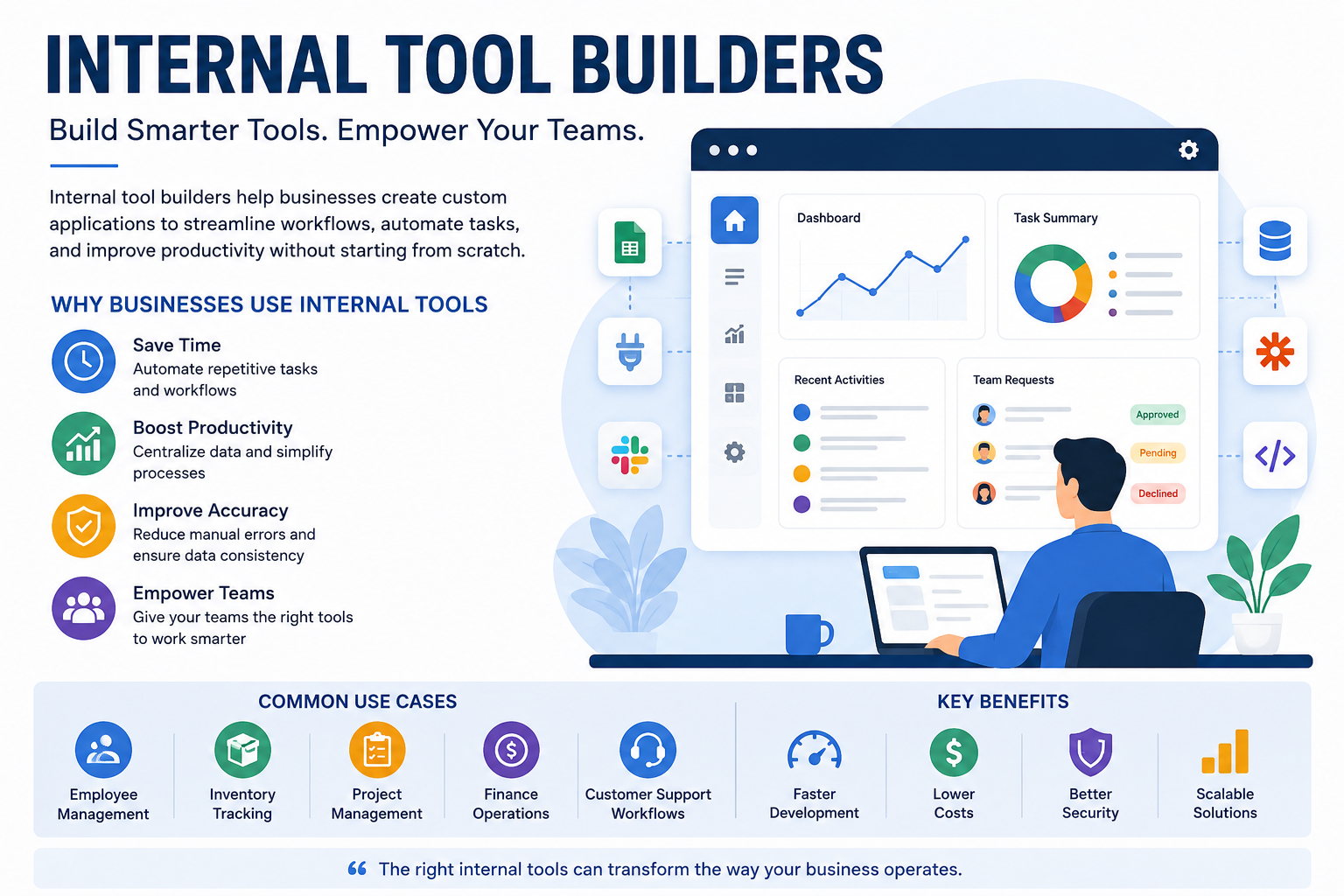
Businesses rely on many processes to manage daily operations, from handling customer information and tracking inventory to managing projects and analyzing reports. However, standard software does not always meet the unique requirements of every organization. This is where internal tool builders can provide a practical solution.
Internal tool builders help companies create custom applications designed specifically for their teams and workflows. Instead of developing every feature from the ground up, businesses can use visual interfaces, reusable components, integrations, and automation features to build useful internal applications more efficiently.
Whether a company needs an employee dashboard, customer management system, approval workflow, inventory tracker, or reporting application, internal tool builders can simplify development and reduce the time required to turn an idea into a working tool.
What Are Internal Tool Builders?
Internal tool builders are software platforms that allow businesses to create applications for internal use. These applications are usually designed for employees rather than public customers.
They can help teams organize information, automate repetitive tasks, connect different business systems, and create customized workflows.
For example, a sales team may need a dashboard that combines customer information, sales activity, and order details. Instead of manually collecting information from several systems, an internal tool can bring everything into one interface.
Internal tool builders can support both technical and non-technical users, depending on the platform and its available features.
Why Do Businesses Need Internal Tools?
Every organization has processes that are specific to its operations. Generic software may provide useful features, but it may not match the exact workflow a business follows.
Internal tools can address these gaps by providing customized solutions.
Common reasons businesses build internal tools include:
-
Improving employee productivity
-
Reducing repetitive manual work
-
Centralizing business information
-
Automating approval processes
-
Creating customized dashboards
-
Connecting multiple data sources
-
Improving operational visibility
-
Reducing errors caused by manual processes
A well-designed internal application can make everyday tasks faster and easier for employees.
How Internal Tool Builders Work
Most internal tool builders follow a relatively simple development process.
Identify the Business Problem
The first step is determining which process needs improvement. Teams should identify repetitive tasks, inefficient workflows, or areas where employees frequently switch between different systems.
Connect Data Sources
The next step is connecting the required data. Depending on the platform, businesses may connect databases, spreadsheets, APIs, customer relationship management systems, payment systems, or other software.
Design the Interface
Users can then create dashboards, forms, tables, charts, buttons, and other interface elements. Many platforms provide drag-and-drop functionality to simplify this process.
Add Workflows and Automation
Automation can be added to perform actions automatically. For example, submitting a form could trigger an approval request, update a database, and notify the appropriate employee.
Test and Deploy
Before deployment, the application should be tested to ensure that data is accurate, permissions work correctly, and workflows operate as expected.
Key Features of Internal Tool Builders
Different platforms offer different capabilities, but several features are particularly valuable.
Visual Application Development
Visual builders allow teams to create interfaces without writing every component manually. This can significantly reduce development time.
Database Integration
Internal tools often need access to business data. Database integrations allow applications to retrieve, update, and organize information from centralized systems.
API Integrations
APIs allow internal tools to communicate with other applications. This makes it possible to combine information from multiple business systems into one workflow.
Workflow Automation
Automation features can handle repetitive actions such as notifications, approvals, data updates, and scheduled tasks.
User Permissions
Security is essential for internal applications. Permission controls can determine which employees can view, edit, or manage specific information.
Dashboards and Reporting
Custom dashboards can provide teams with real-time visibility into important business metrics, helping managers make informed decisions.
Benefits of Internal Tool Builders
Faster Development
Traditional application development can take significant time because developers may need to build infrastructure and components from scratch. Internal tool builders provide pre-built functionality that can accelerate development.
Lower Development Costs
By reducing the amount of custom coding required, these platforms can lower development costs for certain internal applications.
Greater Flexibility
Internal tools can be customized according to the specific needs of a department or organization.
Improved Productivity
Employees can spend less time performing repetitive administrative tasks and more time focusing on higher-value responsibilities.
Better Data Visibility
A centralized internal tool can bring information from multiple sources into one place, making it easier for teams to access and understand business data.
Common Internal Tool Use Cases
Internal tools can be useful across almost every department.
Customer Management
Sales and support teams can use internal applications to view customer records, track interactions, manage requests, and monitor account activity.
Inventory Management
Businesses can create tools for tracking stock levels, monitoring products, recording shipments, and identifying inventory shortages.
Employee Management
Human resources teams can use internal applications for employee records, onboarding workflows, leave requests, and approval processes.
Project Management
Project teams can build customized dashboards for tracking tasks, deadlines, responsibilities, and project progress.
Financial Operations
Finance teams can create internal workflows for expense approvals, invoice tracking, payment monitoring, and financial reporting.
Internal Tool Builders vs Traditional Development
Traditional software development provides extensive control and customization, but it can require more development resources and longer implementation periods.
Internal tool builders focus on speed and practicality. They provide pre-built components and integrations that can make it easier to create applications for specific business processes.
This does not mean internal tool builders replace professional developers in every situation. Complex applications may still require custom development. Instead, these platforms can complement development teams by allowing them to focus their time on more complex engineering challenges.
Security Considerations
Internal applications often handle sensitive business information, so security should be considered from the beginning.
Businesses should evaluate:
-
User authentication
-
Role-based access controls
-
Data encryption
-
API security
-
Audit logs
-
Backup procedures
-
Data retention policies
-
Compliance requirements
Employees should only have access to the information they need to perform their responsibilities.
How to Choose the Right Internal Tool Builder
Choosing a platform requires more than looking at the number of features available.
Consider the following factors:
Ease of Use
The platform should be accessible to the people who will build and maintain the applications.
Integration Support
Check whether it supports the databases, APIs, and business applications your organization already uses.
Scalability
The platform should be capable of supporting additional users, data, and applications as the business grows.
Security
Review authentication, permissions, encryption, and other security features before connecting sensitive business data.
Customization
Make sure the platform provides enough flexibility to support your workflows without forcing unnecessary changes to your business processes.
Cost
Compare subscription costs, usage limits, development requirements, and potential maintenance expenses.
Best Practices for Building Internal Tools
Start with a clear business problem rather than building an application simply because the technology is available.
Keep the initial version simple and focus on the most important workflow. Gather feedback from employees who will actually use the tool and improve it based on their experience.
It is also important to document workflows and establish ownership. Every internal tool should have someone responsible for maintenance, security, and future improvements.
Regularly review permissions and remove unnecessary access to protect company data.
The Future of Internal Tool Builders
Internal tool development is becoming increasingly accessible as automation, artificial intelligence, and low-code technologies continue to improve.
Modern platforms are expected to provide more intelligent workflow automation, natural-language application development, advanced integrations, and AI-powered data analysis.
These developments can allow businesses to create useful internal applications faster while reducing the technical barriers traditionally associated with software development.
Frequently Asked Questions
What are internal tool builders?
Internal tool builders are platforms that help businesses create customized applications for employees and internal business processes.
Who can use internal tool builders?
Depending on the platform, both developers and non-technical employees can use internal tool builders to create business applications.
Are internal tools secure?
They can be secure when properly configured. Businesses should use strong authentication, access controls, encryption, and appropriate security policies.
Can internal tools connect to existing software?
Yes. Many internal tool builders support databases, APIs, spreadsheets, CRM systems, and other business applications.
Do internal tools require coding?
Some platforms require little or no coding, while others allow developers to add custom code when more advanced functionality is needed.
Conclusion
Internal tool builders give businesses a practical way to create customized applications for their unique workflows. By combining visual development, integrations, automation, dashboards, and permission controls, these platforms can help organizations improve productivity and reduce manual work.
The right approach is to begin with a clearly defined business problem, choose a platform that fits existing systems, prioritize security, and continuously collect feedback from employees. When implemented thoughtfully, internal tools can become an important part of a modern organization's technology strategy.

 English
 French
 Spanish
 Portuguese
 Deutsch
 Turkish
 Dutch
Dutch
 Italiano
 Russian
 Romaian
 Portuguese (Brazil)
 Greek
Greek