


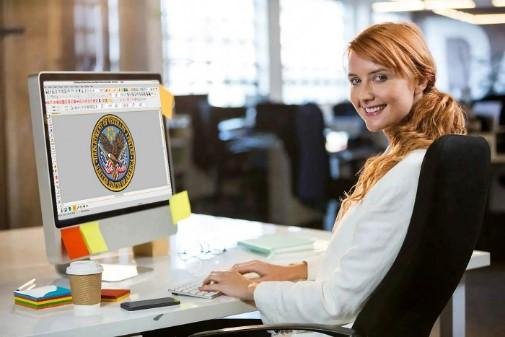
A logo is one of the most important parts of any brand. It helps people know your business and remember it. When you want to place a logo on shirts, hats, bags, or jackets, you cannot use the image by itself. The logo must first be changed into an embroidery file that the machine can read.
This Logo to Embroidery File Guide explains how the process works and why it matters. A good embroidery file helps the machine stitch clean lines, smooth shapes, and sharp details. A poor file can lead to broken threads, uneven stitches, and wasted fabric. At Digitizing Buddy, every logo is prepared with care so customers receive embroidery files that are ready for professional results.
What Is an Embroidery File?
An embroidery file is not the same as an image.
A logo file like JPG, PNG, or PDF only shows the picture. An embroidery file contains stitch instructions. These instructions tell the embroidery machine exactly how to create the design.
The file includes:
-
Stitch locations
-
Stitch direction
-
Stitch types
-
Color changes
-
Stitch order
Without this information, an embroidery machine cannot produce the logo correctly.
Why a Logo Needs Digitizing
Many people believe an embroidery machine can read a logo image directly. That is not true.
The machine needs stitch data instead of image data.
Digitizing is the process of changing a logo into an embroidery file. During this process, every part of the logo is planned carefully.
This helps create:
-
Smooth stitching
-
Better shape
-
Strong fabric support
-
Clean lettering
-
Professional results
Good digitizing improves both the look of the embroidery and the performance of the machine.
How the Logo Conversion Process Works
Creating an embroidery file takes more than using software.
Professional digitizers follow several careful steps.
Review the Logo
The first step is checking the artwork.
The digitizer looks at:
-
Image quality
-
Logo size
-
Fine details
-
Colors
-
Text
A clear logo creates better embroidery.
Plan the Stitch Path
The next step is deciding how the machine will sew the design.
This includes choosing:
-
Stitch types
-
Stitch direction
-
Underlay stitches
-
Stitch density
-
Stitch order
Every choice affects the final quality.
Create the Embroidery File
The digitizer builds the file stitch by stitch.
This process takes skill and experience because every logo is different.
Test the Design
Before sending the file, it should be tested.
Testing helps find small problems before production begins.
This saves time and reduces mistakes.
Why Manual Digitizing Gives Better Results
Many websites offer automatic logo conversion.
These tools are fast but often produce poor embroidery.
Automatic software cannot understand fabric, stitch flow, or design balance.
Manual digitizing allows experts to adjust every stitch.
Better Stitch Quality
Each stitch is placed carefully.
This creates cleaner embroidery.
Better Lettering
Small text needs extra care.
Manual digitizing helps keep letters neat and readable.
Better Fabric Support
Different fabrics react in different ways.
A skilled digitizer adjusts the design to match the fabric.
Fewer Machine Stops
Good stitch planning reduces thread breaks and machine problems.
This keeps production moving smoothly.
Common Problems During Logo Conversion
Some logos need extra work before they are ready for embroidery.
Very Small Text
Tiny letters may not stitch clearly.
The text may need to be made larger or simplified.
Thin Lines
Very thin lines can disappear during stitching.
They often need to be adjusted.
Too Many Small Details
Small details may not show well in embroidery.
Simple designs usually produce better results.
Poor Image Quality
A blurry image makes digitizing more difficult.
High-quality artwork always helps create a better embroidery file.
Tips for Better Embroidery Results
Simple changes can improve the finished design.
Use a Clear Logo
A sharp image gives better stitch quality.
High-resolution artwork is always the best choice.
Keep the Design Simple
Simple logos often stitch better than very detailed artwork.
Clean shapes create cleaner embroidery.
Choose the Right Size
Very small embroidery has limited space.
Large designs allow more detail.
Match the Design to the Fabric
Each fabric behaves differently.
A logo for a cap may need different settings than a logo for a polo shirt.
Who Needs Logo Digitizing?
Many people use logo embroidery every day.
These include:
-
Small businesses
-
Large companies
-
Sports teams
-
Schools
-
Restaurants
-
Hospitals
-
Clubs
-
Online clothing brands
Professional embroidery helps businesses create a polished and trusted image.
What Makes a Good Embroidery File?
A quality embroidery file does much more than copy a logo.
It should:
-
Stitch smoothly
-
Reduce thread breaks
-
Keep shapes balanced
-
Hold details clearly
-
Support the fabric
-
Save production time
These small details create a better finished product.
Choosing the Right Digitizing Service
The quality of the embroidery depends on the quality of the digitizing.
Experience Matters
Experienced digitizers understand how embroidery machines work.
They know how different fabrics affect stitch quality.
Quality Checks
Every file should be reviewed before delivery.
This helps reduce production problems.
Fast Turnaround
Many businesses work with tight schedules.
Quick delivery keeps projects moving.
Helpful Support
A reliable team answers questions and helps with design changes when needed.
Why Professional Digitizing Saves Money
A poor embroidery file often causes problems during stitching.
These problems may include:
-
Broken threads
-
Machine stops
-
Fabric damage
-
Extra production time
-
Poor design quality
A professionally prepared file helps reduce these issues.
It also helps businesses complete orders faster and with better results.
At Digitizing Buddy, every logo is handled with attention to detail. Each file is carefully prepared to support clean stitching and reliable machine performance. This careful approach helps customers achieve professional embroidery while reducing common production problems.
Final Thoughts
Changing a logo into an embroidery file is an important step in creating high-quality embroidery. It takes experience, planning, and careful stitch placement to produce clean and accurate results. A professionally digitized file helps embroidery machines work smoothly while creating sharp and attractive designs.
Whether you need embroidery for business uniforms, team apparel, promotional items, or custom clothing, investing in quality digitizing makes a noticeable difference. With the expertise and careful process offered by Digitizing Buddy, your logo can be transformed into an embroidery-ready file that delivers reliable and professional results every time.

 English
 French
 Spanish
 Portuguese
 Deutsch
 Turkish
 Dutch
Dutch
 Italiano
 Russian
 Romaian
 Portuguese (Brazil)
 Greek
Greek